
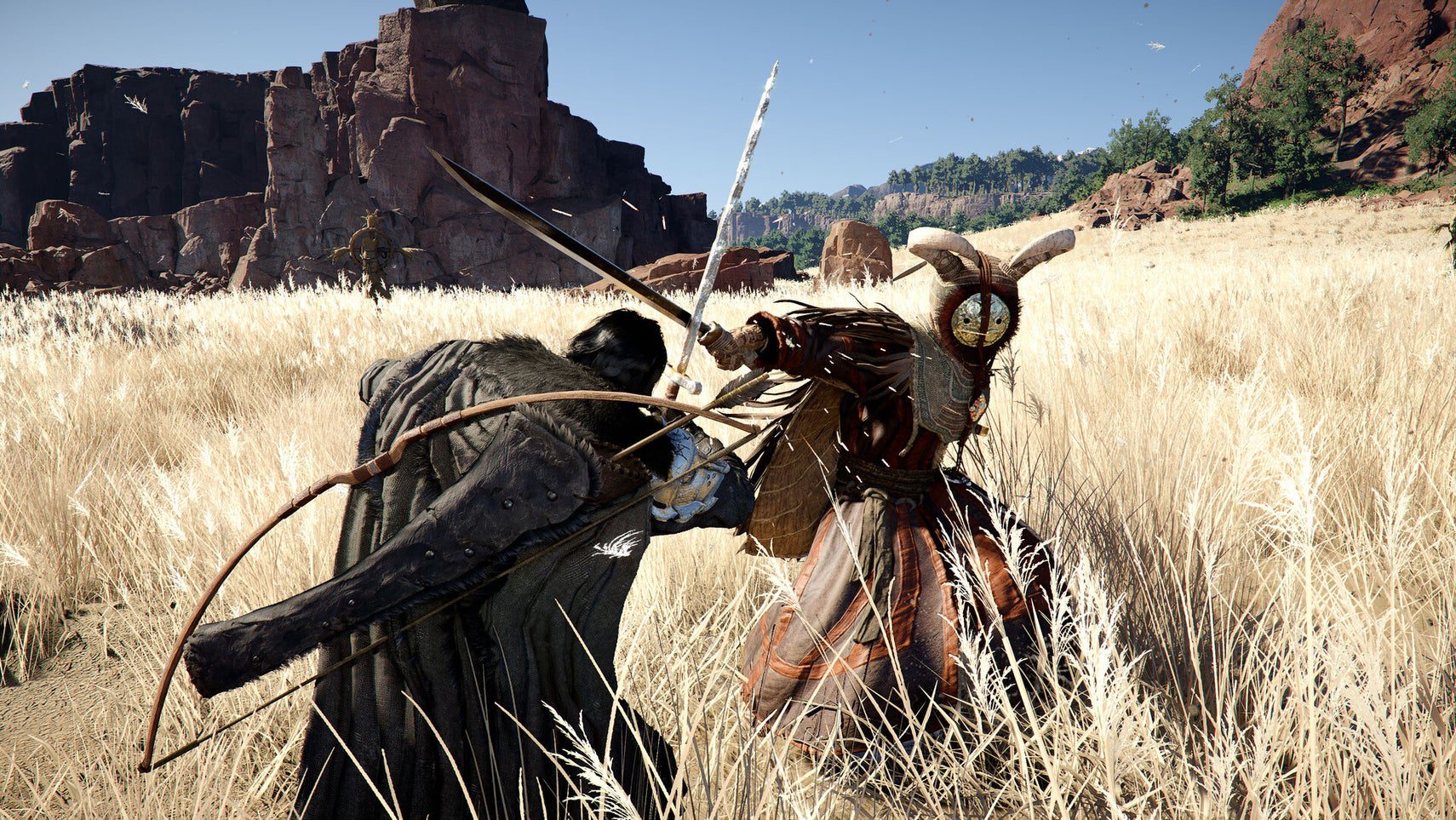
Pearl Abyss has moved quickly to smooth out early friction, shipping a patch squarely aimed at PC input feel while momentum from launch continues to build. It’s a pragmatic signal: the team heard the chorus of feedback about clunky controls and is iterating fast to keep the ride thrilling for both new and seasoned adventurers.
What’s Actually in the Patch—and Why It Matters
The newly released 1.00.03 update focuses on how the game handles with mouse and keyboard, revising default presets and applying a slate of fixes intended to make core actions feel more responsive. The developer acknowledged control complaints in a community letter and is tackling them in stages—starting with PC input and promising controller-specific adjustments in future patches. The update is live on Steam and PlayStation, with Xbox and the Epic Games Store to follow. Alongside input tweaks, the patch also tunes gameplay balance (notably enemy health and difficulty), streamlines fast travel, and refreshes some NPC dialogue for clarity. A standout quality-of-life addition arrives at Howling Hill Camp: Storage that lets players safely stash items instead of hoarding everything in their bags.

Why lead with inputs? Because they’re the lens through which every combat exchange, traversal flourish, and cinematic QTE is experienced. Early player sentiment consistently flagged animations locking out actions and a general sense of sluggishness. Improving input mapping and smoothing rough edges can dramatically raise first impressions—especially crucial in the crowded action-RPG space where muscle memory is earned minute by minute. The timing helps, too. The game posted a peak of roughly 239,000 concurrent players on Steam soon after launch, putting it in elite company this quarter. Meeting that audience with rapid iteration is simply smart live-ops practice.
Tuning Your Mouse-and-Keyboard Setup Today
While the patch is a step forward, you can extract even more precision with a few targeted adjustments. These tips prioritize responsiveness, consistency, and combat clarity without sacrificing visual panache.
- Remap for reachability. Move high-frequency combat actions near WASD—think Dash/Roll, Parry/Block, and Item Use. Many players prefer binding dodge to a thumb (mouse button 4) or Shift to reduce accidental rolls.
- Dial in sensitivity with DPI discipline. Use a stable mouse DPI (e.g., 800–1,200) and fine-tune in-game sensitivity until 180-degree turns feel predictable. Overshoot means you’re too high; undershoot means too low.
- Check for camera acceleration or smoothing. If a slider or toggle exists, minimize smoothing for snappier aim while preserving a touch of dampening to avoid jitter during horseback or platforming sequences.
- Reduce input latency. Cap your frame rate to what your GPU comfortably maintains, disable unnecessary overlays, and consider turning off V-Sync if screen tearing is minimal. Lower latency = crisper parry windows.
- Clarify visual noise. Modest cuts to motion blur and camera shake help you read enemy tells. A slightly wider field of view can also reduce tunnel vision in crowded fights.
- Leverage quick slots with intent. Assign a healing item, a high-impact consumable, and a utility tool to primary shortcuts. Keep your rhythm: heal on a dedicated key, burst on another, utility on a third.
- Use platform tools. Steam Input can provide per-game profiles and chorded commands. If you’re waiting for official controller tuning, this bridges the gap with tailored layouts.
Pro insight: Re-evaluate your bindings every few hours during the opening chapters. As your move set expands, the “right” layout often shifts. Don’t be afraid to iterate—Pearl Abyss clearly isn’t.
Quality-of-Life Wins: Storage, Bags, and Faster Travel
Beyond inputs, inventory breathing room changes your day-to-day flow. With Storage now available at Howling Hill Camp, you can finally split “carry now” from “keep for later.” If you’re early in the story, progress to Chapter 3 to access the Greymane camp, where a private chest offers ample space to bank materials and valuables. This compliments the game’s bag-based expansion system and the patch’s travel conveniences.
- Buy small bags ASAP. Most merchants sell them cheaply—typically around 50 copper—for a quick one-slot bump per bag. It’s the best cost-to-space trade early on.
- Chase request boards (purple icons). These manageable errands often pay out medium bags worth three slots. Stack several and your carry weight anxiety fades fast.
- Push key story beats for large bags. Bosses and major quests tend to award the five-slot upgrades. It’s a strong incentive to keep the main plot in sight.
- Establish a loop. Clear two or three zones, fast travel back (now quicker to manage post-patch), drop materials into camp Storage, and return light. Efficiency compounds your earnings.
These systems are more than convenience; they’re progression accelerants. Less time sorting and more time exploring means more skill points, better gear, and a steadier supply of crafting mats. And for players concerned about long-term feature growth—such as the potential for crimson desert multiplayer experiments down the line—cleaner inventories and faster travel are foundations that benefit every mode of play, solo or otherwise.
Reading the Signals from the Team
Post-launch patches tell a story. Here, the beats are clear: listen to feedback, prioritize feel, and sequence systemic fixes. The control pass shows Pearl Abyss is starting where friction is most widely felt. The addition of Storage, travel tweaks, and difficulty recalibration recognize the grind-vs.-reward balance that underpins open-world flow. That’s encouraging, especially given the spotlight the game drew around the crimson desert release date and its swift rise into the upper tier of Steam peaks this year.
There’s still work to do—the studio has already said controller improvements are coming, and more PC refinements are planned. Expect continued iteration on animation lockouts, dodge buffering, and targeting consistency, all typical second- and third-wave polish targets in action-heavy RPGs. If you’re on Xbox or the Epic Games Store, the staggered rollout is frustrating, but it also suggests a measured approach to shipping stable builds across platforms, rather than racing parity at the expense of quality.
Conclusion
This update is a strong first response to the loudest pain point without losing sight of everyday quality-of-life. If you bounced off the opening hours because inputs felt off, 1.00.03 is a good reason to take another swing—especially on PC. If you’re loving the world but drowning in loot, lean into Storage, pick up a handful of bags, and set a smart travel loop. And if you’re still on the fence, the trajectory looks promising: rapid patches, visible improvements, and a design team signaling more to come. In short, crimson desert is trending in the right direction—refining the fundamentals so the spectacle can shine brighter with each update.